- Section
EH 5884 :: How to register subproducts?
You can use subproducts to register color variations and product sizes.
Check the "Subproducts" field in the STORE CONFIGURATION page of the control panel. Then register the parent product with the information that applies to all subproducts.
Enter the price that applies to at least one of the subproducts.
Do not enter additional descriptors and colors in the parent product.
Please enter at least one unit in the parent product stock:
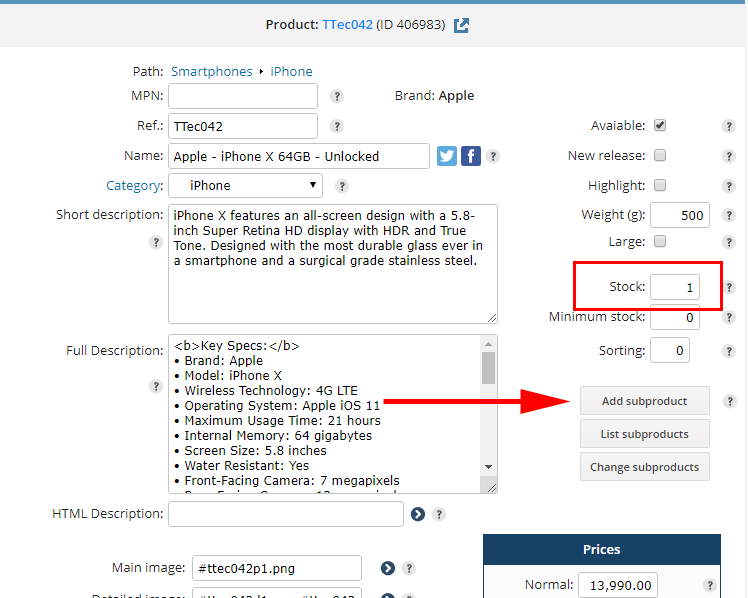
After registering the parent product, the Add subproducts button will be shown.
The subproduct registration page is the same as the parent product. The subproduct name will be the same as its parent:
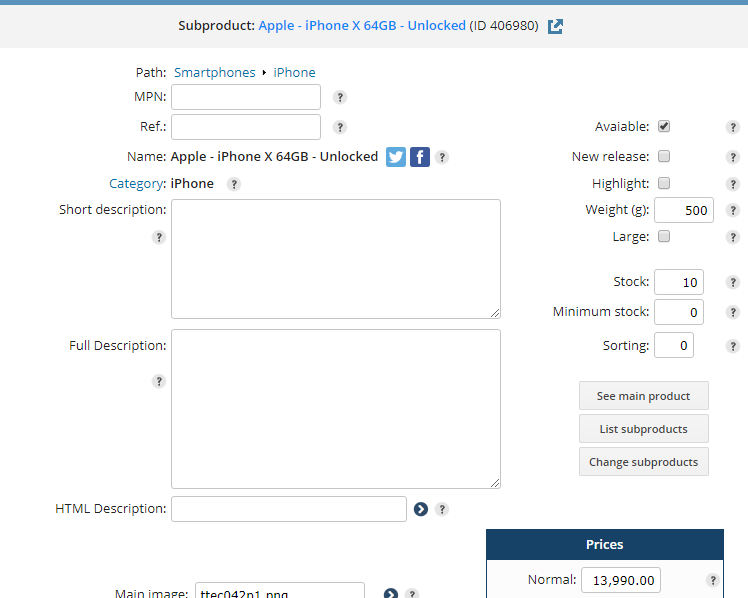
In the above example, the subproduct has a particular reference code, price, stock and weight.
The color descriptor is also defined for this subproduct:
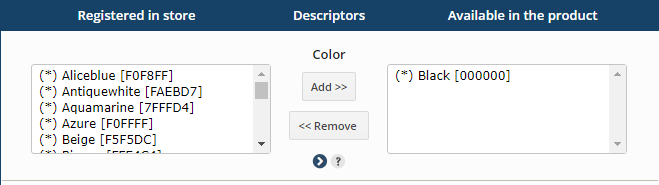
You can create other descriptors for products and subproduts. Click here for instructions.
NOTE: If your store uses a product grid, the use of descriptors is mandatory.
PRODUCT GRID EXAMPLE:
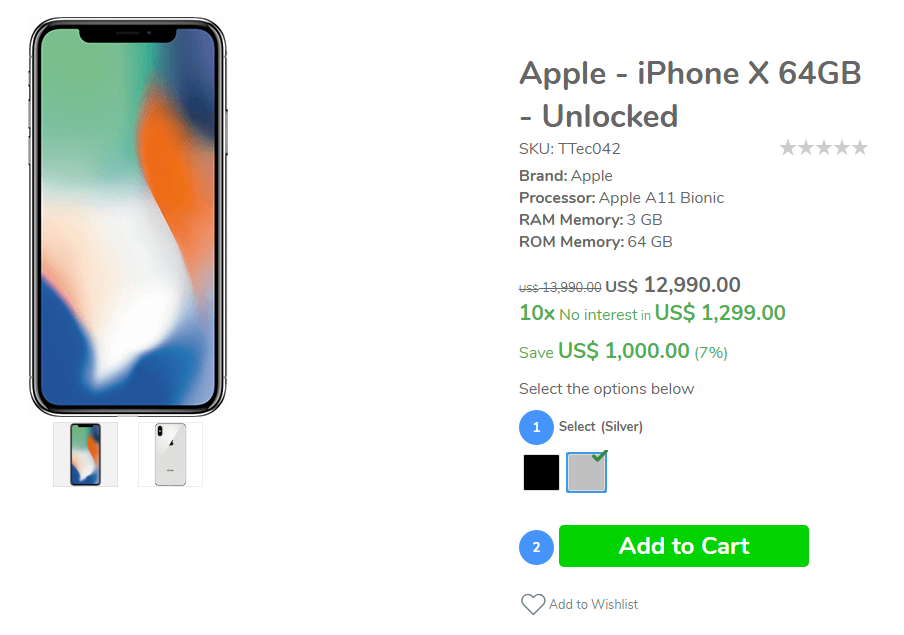
In a product grid, only subproducts can be added to cart. Make sure the Hide cart in product with subproduct checkbox is checked in STORE CONFIGURATION > Products path.
 US$ 4.06Your new store comes with pre-registered products, to better try the shop resources. It is easy to remove these products.
|